
Enhance Pro
GN HearingMedical
4.4768.00 Reviews
- Version
- 1.43.1
- Installs
- 100.00K
- Age Rating
- Everyone
Screenshots
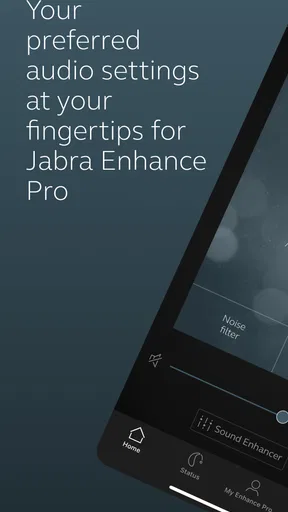
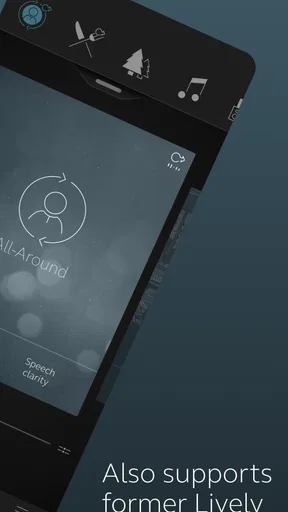
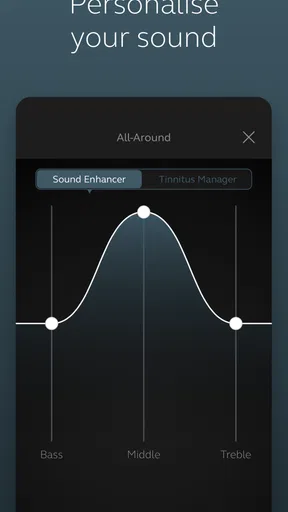
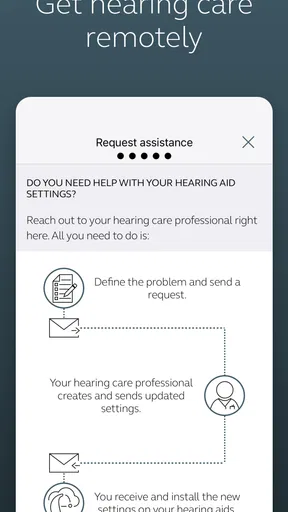
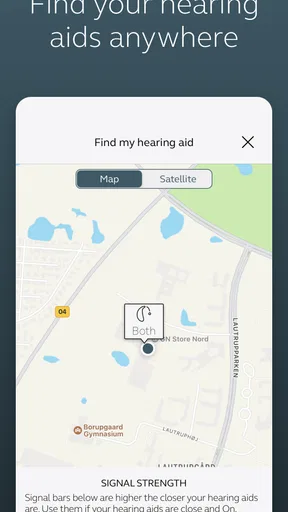
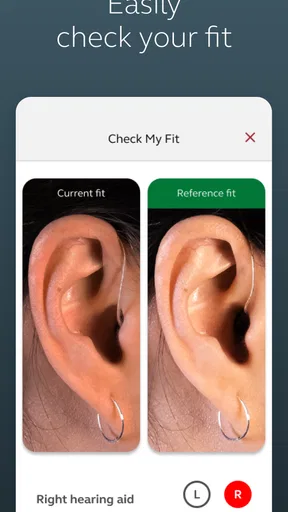
Our Review of Enhance Pro
 Analysis by Appyee
Hearing aids can make conversations, television, and everyday sounds easier to follow, but the phone used to manage them also matters. I spent time looking at how Enhance Pro fits into that relationship, especially for people who need clear controls rather than a crowded technical dashboard. This is a free medical app from GN Hearing, designed to work with Jabra Enhance Pro hearing aids. Its main value is not replacing professional care; it is giving the wearer a more convenient way to manage the hearing experience between appointments.
My overall impression is that the app is most useful when I treat it as a practical remote control and adjustment companion. It can make small changes feel less disruptive, particularly in situations where taking out a phone is easier than reaching for the hearing aids themselves. At the same time, it is not a universal hearing solution. You need compatible Jabra Enhance Pro devices, and the benefit depends heavily on how comfortably you can read, tap, and interpret the controls.
How the app feels to read and navigate
The interface is easier to approach than a specialist audio tool because its purpose is fairly focused: manage hearing aids rather than edit music or configure a complicated sound system. That focus helps me understand what I am doing without first learning a long list of audio terms. For someone new to hearing-aid apps, a restrained layout is important because too many sliders and technical labels can create uncertainty.
I would still recommend taking a few minutes to explore the controls in a quiet place. The first setup is not the moment to experiment while crossing a busy street, entering a meeting, or trying to follow a family conversation. A calm first session makes it easier to recognize which changes affect listening and which actions simply move between parts of the app.
Readability is especially important for people who use larger text, magnification, or a high-contrast display setting on their phone. The app may remain usable, but the experience depends on how its own interface responds to the phone’s display preferences. I would not assume that every label, button, or visual control will be equally comfortable at every text size. If you already struggle to distinguish small controls, test the app before relying on it as your only way to make adjustments.
One helpful habit is to keep the app in a predictable place on the phone and avoid changing several settings at once. When a sound feels wrong, making one adjustment and listening for a moment gives you a better chance of understanding the result. Rapidly changing multiple controls can leave you unsure which change helped, especially if you are already tired from concentrating on speech.
The current release is version 1.43.1, and the app supports phones running Android 8.0 or later. That makes it accessible to people who do not own a recent handset, although the phone’s age, screen quality, and operating-system settings still affect comfort. I would check compatibility before changing phones, particularly if the app is part of an older relative’s daily routine.
Useful navigation habits for less confident users
I found that the best approach is to create a simple personal routine. Open the app before leaving home, confirm that the hearing aids are connected, and make any changes while the environment is quiet. Once outside, use the app for small corrections rather than trying to redesign the listening profile in the middle of a conversation.
This is also a good place to involve a trusted family member without handing over complete control. A relative can help identify the controls during the first session, then let the wearer take over. That matters because independence is part of accessibility. An app that only works when someone else is present may solve a technical problem while creating a practical one.
For users with memory difficulties, a written note describing the preferred everyday setting can reduce frustration. I would keep the wording personal and simple, such as “normal day,” “restaurant,” or “television,” rather than recording technical explanations. The app becomes easier to use when the user connects each option to a real situation.
Motor, sensory, and communication considerations
Touch controls can be convenient, but they are not equally comfortable for everyone. People with tremors, reduced finger strength, arthritis, or limited precision may find small on-screen controls harder to use than physical buttons. The phone itself can help if it offers accessibility tools, voice interaction, or magnification, but those tools do not automatically make every app effortless.
There is also a sensory trade-off. The purpose of changing a hearing-aid setting is often to reduce the effort required to listen, yet the act of managing the setting requires visual attention. If I am in a noisy room, I may need to look at the phone, find the right control, and judge whether the change improved speech. That can briefly pull me away from the person I am trying to hear.
For that reason, I see the app as strongest before a difficult situation and during calm pauses, not as something to operate constantly while someone is speaking. A person with limited vision may need help at first to identify controls and confirm changes. A person with limited hearing may also need visual confirmation that an action was accepted, so clear feedback is more than a cosmetic detail.
People who communicate through a mixture of speech, lip-reading, captions, and signed communication may appreciate the app’s role as one part of a broader setup, but it cannot replace those other supports. If the main difficulty is understanding a speaker in a group, better seating, captions, reduced background noise, or asking people to face the listener may help more than another adjustment.
A realistic everyday example
Imagine getting ready for a family lunch. At home, the hearing aids feel comfortable, but the restaurant has hard surfaces, several conversations, and dishes moving around. I would make the first adjustment before leaving, then keep the phone available for a small change once seated. I would not spend the entire meal looking down at the screen. Instead, I would combine the app with practical choices: sit where faces are visible, ask for a quieter table, and tell the family that speaking one at a time helps.
That example shows both the strength and the limit of Enhance Pro. It can give the wearer more control over the hearing aids, but it cannot remove the acoustic problems of a busy room. The app is supportive, not magical. If the wearer still misses important speech after sensible adjustments, a hearing professional should be involved rather than endlessly changing settings.
Where situational access becomes most useful
The app makes the most sense for people who move between noticeably different listening environments. A quiet bedroom, a television in the living room, a workplace, a car, and a restaurant can all feel different even on the same day. Having a phone-based way to manage compatible hearing aids is more discreet than repeatedly handling the devices themselves.
Television is one practical example. If the sound feels too strong or speech is difficult to follow, I can try a modest change without interrupting the program to remove the hearing aids. The same principle applies during a conversation at home: a quick adjustment may be less awkward than asking everyone to stop while I handle the devices.
Work situations require more caution. In a meeting, changing a setting can be useful during a planned pause, but it can also cause me to miss part of the discussion. I would prepare beforehand and use the app only when the adjustment is genuinely needed. For people who depend on captions or written notes, the app should be considered alongside those tools rather than as a substitute.
Travel introduces another consideration: the phone becomes part of the hearing routine. Keeping it charged and knowing how to reach the app can prevent unnecessary stress, but I would not rely on a phone alone in an unfamiliar place. Carrying the usual hearing-aid supplies and knowing how to return to a comfortable setting is still sensible.
The app is rated for Everyone, which fits its role as a general hearing-aid companion rather than an age-restricted entertainment product. That does not mean every child or older adult will find it equally easy to use. A young user may need an adult to help with setup, while an older user may benefit from larger display settings, a simplified home screen, or a short practice session.
Who will get the most from it
I would recommend Enhance Pro to someone who already uses compatible Jabra Enhance Pro hearing aids and wants more control from a familiar device. It is particularly appealing if you often move between environments and dislike handling the hearing aids directly. It can also suit a family that wants to help with initial setup while preserving the wearer’s ability to make everyday choices.
The app may be less suitable for someone who wants a standalone hearing test, a general sound amplifier, or a solution that works with any brand of hearing aid. It is also not the right answer for a person whose main need is diagnosis or clinical guidance. In those cases, an audiologist, an accessibility service, captions, or a different hearing-support product may be more appropriate.
Its free price removes one obvious barrier to trying it, but “free” does not mean cost-free in the wider sense. You still need the compatible hearing aids and a suitable phone. If you are choosing hearing aids, I would compare the complete ownership experience, including professional support and ease of use, rather than selecting a device only because its companion app is free.
Remaining barriers and points I would watch
The largest barrier is compatibility. This is not a general remote control for every hearing aid, so people using another manufacturer’s devices should not expect it to become useful simply because it installs on their phone. That is an important distinction from broader accessibility apps that work independently of specialized hardware.
Another barrier is the gap between digital control and real-world sound. A setting that helps in one room may not be ideal in another, and the wearer may need time to recognize what works. Someone who expects one tap to solve every difficult listening situation could become disappointed. The app can improve control, but it cannot guarantee clear speech in every environment.
Phone dependence is a further trade-off. A large, bright screen may be comfortable for one person and tiring for another. A nearly empty battery, a phone that is shared with someone else, or unfamiliarity with touch navigation can make the app less practical. I would treat it as an additional control method, not the only method.
There is also a risk of over-adjustment. When listening is difficult, it is tempting to keep changing settings instead of checking the basics: are the hearing aids seated correctly, is the speaker facing you, is there too much background noise, and does the device need professional attention? A useful rule is to try one change, give it a fair moment, and stop if the result is not clearly better.
The app’s popularity gives it some reassurance for prospective users: it has an average rating of 4.4 from around 7,400 ratings, with more than 100,000 installs. I read those figures as evidence that many people find the companion useful, not as proof that it will suit every hand, phone, hearing profile, or daily environment. Personal comfort remains more important than a store average.
When another option may be better
If you need extensive visual customization, a specialist accessibility app may offer a better experience for your particular needs, especially if you use screen-reading or magnification tools every day. If you need advice about hearing loss, an audiology appointment is the better route. If you need support during lectures or meetings, live captions and seating changes may address the real problem more directly.
Likewise, someone who rarely changes hearing-aid settings may prefer a simpler routine and find little reason to use a phone companion. The app’s value grows with the number of situations in which you want personal control. It is less compelling if the hearing aids are already comfortable everywhere you go and you do not want another device-based task.
My inclusive verdict
After looking at the app through the lens of different abilities and contexts, I see Enhance Pro as a useful extension of compatible Jabra hearing aids rather than a complete accessibility package. Its focused purpose makes it approachable, and the free download gives existing users a low-risk way to see whether phone-based control fits their routine. The strongest benefit is independence: the wearer can make small changes without always asking another person for help.
That independence works best when the phone, display, touch controls, and hearing aids all suit the user. People with motor or visual difficulties may need to personalize the phone and practice the workflow. People in noisy environments should combine the app with communication strategies instead of expecting settings alone to restore every word. Those are not reasons to reject it; they are reasons to use it realistically.
My advice is to install it only after confirming that your hearing aids are part of the Jabra Enhance Pro family, then test it at home before depending on it outside. Try a quiet room, television, and one moderately challenging conversation. Notice not just whether the sound changes, but whether you can operate the app without losing focus or becoming frustrated.
For the right user, Enhance Pro is most valuable as a discreet, everyday control layer for hearing aids. It is not the best choice for general hearing assistance, diagnosis, or people seeking a universal solution. If your devices are compatible and you want more say over how they behave from your phone, I think it is worth trying. If your main barrier is the environment, communication access, or an unresolved hearing problem, pair it with practical support rather than asking the app to do a job it was never designed to handle.
Verdict
Strengths of Enhance Pro
- Clear, polished interface makes daily use easy to understand.
- Useful tools are grouped logically for quicker access.
- Performance feels smooth on modern Android and iOS devices.
- Regular updates can improve features and fix reported issues.
- Helpful for users seeking more control over personal improvement goals.
Limitations of Enhance Pro
- Many advanced features may require a paid subscription.
- Some tools can feel overwhelming for first-time users.
- Results depend heavily on consistent and accurate user input.
- Privacy details should be reviewed before entering sensitive information.
- Older devices may experience slower loading or reduced responsiveness.
Similar Picks in This Category
View All
WebMD: Symptom Checker
WebMD, LLC4.1

Microphone Amplifier
DOSA Apps4.2

Anatomy Learning - 3D Anatomy
3D Medical OU4.5

Period Tracker and Calendar
SimpleInnovation4.9

GoodRx: Prescription Coupons
GoodRx4.8

CVS Health
CVS Pharmacy4.5
Frequently Asked Questions
What is Enhance Pro and what does it do?
Enhance Pro is a photo-enhancement application designed to improve the appearance of pictures with automated editing tools. It can typically help sharpen details, reduce visible noise, improve lighting, and make portraits or older images look clearer. The app is aimed at users who want quick results without manually adjusting complicated editing controls, although the final quality can vary depending on the original photo.
Is Enhance Pro free to download and use?
Enhance Pro may be available to download at no initial cost, but some of its tools, export options, or advanced enhancement features can require a subscription or in-app purchase. Before confirming a trial or payment, users should carefully review the pricing, renewal terms, and cancellation policy shown in the app store. Availability and costs may also differ between Android and iOS.
Can Enhance Pro improve blurry or low-quality photos?
Enhance Pro can make many blurry, dark, compressed, or low-resolution images appear cleaner and more detailed, particularly when the original picture contains enough information for the processing tools to work with. However, it cannot perfectly restore details that were never captured. Results may sometimes look overly smooth, artificial, or sharpened, especially with severely damaged photos or small faces.
Does Enhance Pro protect uploaded photos and personal information?
Before using Enhance Pro, users should check its privacy policy and the permissions requested by the application. Photo enhancement may require images to be processed on the device or uploaded to online servers, depending on how the service operates. Avoid submitting sensitive documents or private pictures unless you understand how files are stored, processed, retained, and deleted.
Is Enhance Pro easy to use for beginners?
Enhance Pro is generally intended to provide a simple editing experience: users select a picture, choose an enhancement option, wait for processing, and compare or save the result. This makes it approachable for beginners who do not want to learn professional editing software. Nevertheless, users should preview the finished image carefully, since automatic edits may alter facial details, colors, or textures more than expected.
